Update as of October 7, 2026 at 9:02 AM: Both Mafia III and Call of Duty: WWII have already been removed from the free listings on the UK PlayStation Store, suggesting the offer may have been a temporary pricing glitch. However, players who managed to claim the games during the very short window when they were listed as free can still access and play them. The games remain in their accounts and have not been removed from their libraries.
PlayStation players can currently claim Mafia III and Call of Duty: WWII for free through the UK PlayStation Store.
Both are PS4 titles, and the UK store currently lists their standard editions as Free, allowing eligible accounts to add them directly to their library.
If you’re in the Philippines and don’t already have a UK PSN account, here’s how you can create one and claim the games.
Step 1: Create a UK PSN Account
First, head to the PlayStation account creation page: Create a PlayStation Account

During registration, select United Kingdom as your country or region.
Complete the required personal and account information, then proceed with the registration. Use these addresses:
- City: London
- State/County: England
- Postal Code: SW1A 2AA
Step 2: Complete the Age Verification
During the setup process, PlayStation may ask you to verify your age. You must select this for you not to take other verification.

Follow the instructions shown on the screen and complete the required verification before continuing.

You may not be able to fully access the account until this step is completed.
Step 3: Verify Your Email
After creating the account, check the inbox of the email address you used during registration.

PlayStation will send you an email containing a verification link.
Open the email and verify your address, then return to your PlayStation account.
Step 4: Upgrade and Complete Your Account
After verifying your email and age, PlayStation may ask you to upgrade or complete your account.

Follow the remaining prompts and enter any additional information required.
Once completed, your UK PSN account should be fully activated and ready to access the UK PlayStation Store.
Step 5: Claim Call of Duty: WWII
While signed in to your UK PSN account, open the following page: Call of Duty: WWII – UK PlayStation Store
The standard PS4 version is currently listed as Free. This is playable in PS5. Click Add to Library to claim it.
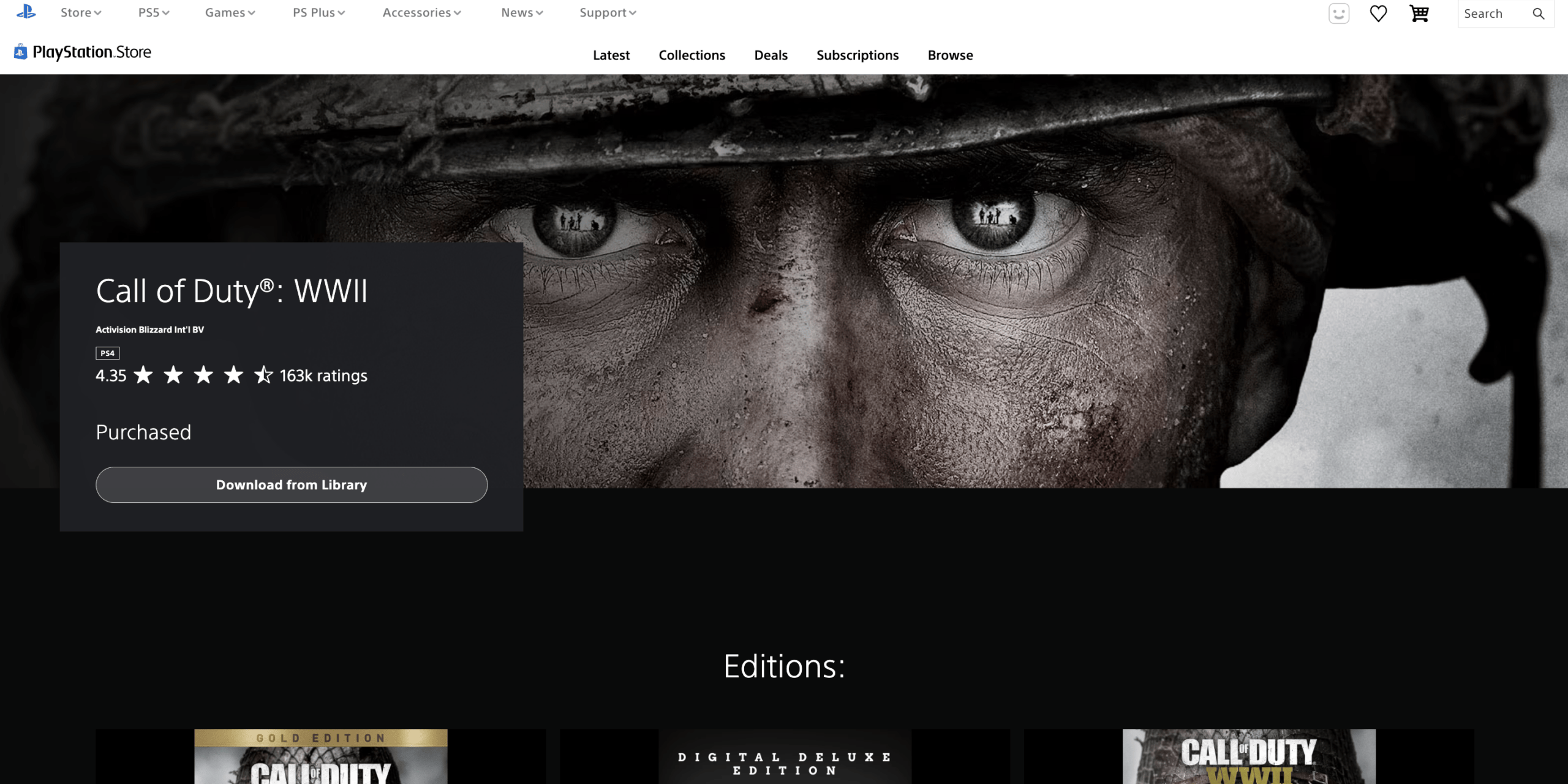
Make sure you select the regular Call of Duty: WWII version, as other editions such as the Gold Edition and Digital Deluxe Edition may still have a price.
Step 6: Claim Mafia III
Next, open the UK PlayStation Store page for Mafia III: Mafia III – UK PlayStation Store (As of writing, Mafia 3 still getting an error while claiming)
Select the standard Mafia III PS4 version, which is currently listed as Free, then click Add to Library.
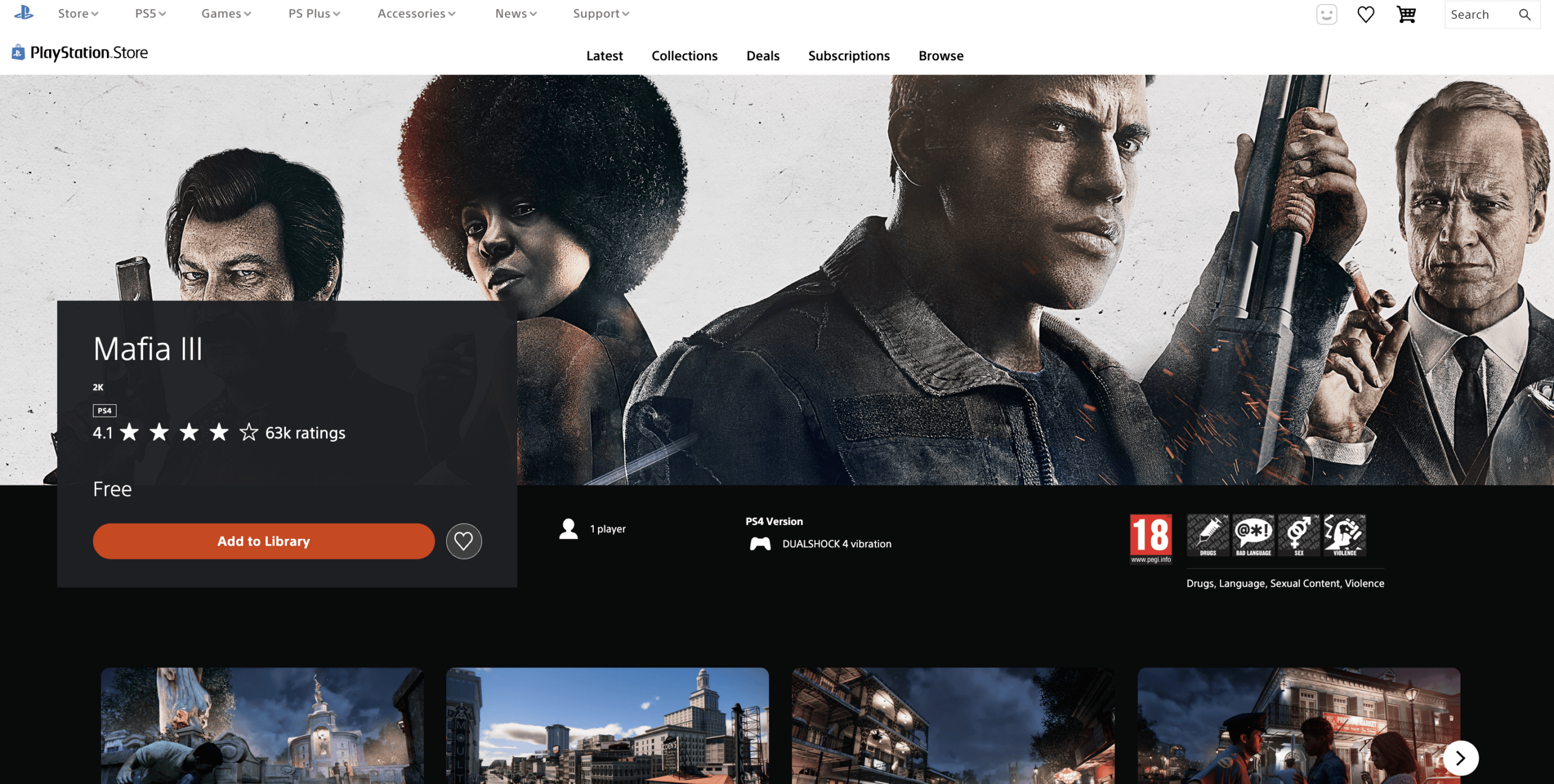
Take note that Mafia III: Definitive Edition is a separate version and may still show a regular price, so make sure you are claiming the standard Mafia III listing.
And You’re Done
Once both games have been successfully added, Mafia III and Call of Duty: WWII should appear in your UK PSN account’s game library.
You can then sign in to the same UK account on your PlayStation console and download the games from your library.

If you use multiple PSN accounts on the same console, keep in mind that game access and sharing may depend on your console and account-sharing settings.
Important Note
The free listings are available through the UK PlayStation Store, and availability can change at any time. Always check that the game page still shows Free before claiming it.